


Discover what an internal link is, its impact on SEO, best practices, and common mistakes in this comprehensive guide.
INTRODUCTION
The content architecture of your website directly influences how search engines crawl your pages and how quickly users can find the information they need. One of the most critical building blocks of this architecture is internal links. Finding a clear answer to “What is an internal link?” boosts both your SEO performance and the visitor experience. In this article you will explore the fundamentals of internal linking, step‑by‑step implementation, and common pitfalls in detail.
Pro Tip:Internal links do more than just point from one page to another; they also present your site’s hierarchical structure to search engines like a “map.”
THE BASICS
# Definition of an Internal Link
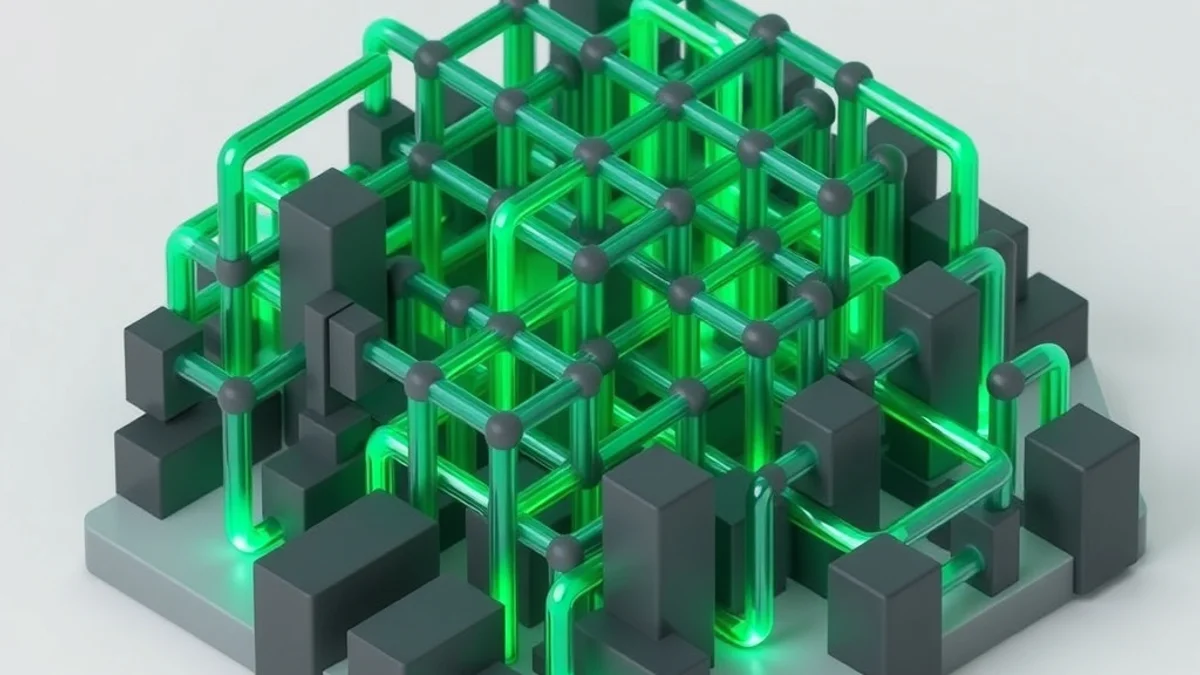
An internal link is an HTML hyperlink that points from one page to another within the same domain. The href attribute can contain a full URL (https://example.com/) or a root‑relative path (/category/product).
# Role of Internal Links in SEO
Distribution of Page Authority:Search engines pass a page’s “link juice” (link authority) to other pages through the internal links it receives.
Content Discovery & Crawling:Googlebot follows internal links to discover and index every page on your site.
User Journey:Well‑structured internal links enable visitors to move seamlessly to related content, resulting in lower bounce rates and longer session durations.
# Correct vs. Incorrect Usage Examples
-Correct:On a “SEO Basics” page, naturally link to related articles such as “Keyword Research” and “Backlink Analysis” within the context of the text.
-Incorrect:Adding more than ten identical links with the same anchor text (e.g., “click here”) to the same target on a single page; this confuses both users and search engines.
COMPARISON / SUMMARY TABLE
| Feature | Correct Implementation | Incorrect Implementation |
|---|---|---|
| Anchor Text | Meaningful, descriptive, reflects the target page | Vague phrases like “click,” “here” |
| Number of Links | 2‑5 natural links per page, avoid over‑linking | More than 20 links on a single page, spam risk |
| Link Depth | Critical pages reachable within 3 clicks from home | Important content buried 5‑6 clicks deep |
| NoFollow Usage | Only when you don’t want authority to pass (e.g., external redirects) | Unnecessary NoFollow that blocks authority flow |
STEP‑BY‑STEP GUIDE
# 1. Plan Site Architecture
Build a hierarchical structure such as Home → Category → Sub‑Category → Product/Content.
Each category page should contain at least one internal link to its sub‑pages.
# 2. Create a Keyword & Topic Map
List the titles and target keywords from your content calendar in a spreadsheet.
Expand the sheet with “Content → Related Content” columns to identify natural linking opportunities.
# 3. Optimize Anchor Text
Choose anchor text that reflects the main topic of the target page.
Use varied anchor texts when linking to the same page to avoid redundancy.
# 4. Insert Internal Links Within Content
Add two‑three natural links inside paragraphs without disrupting the reading flow.
For long articles, provide additional links in a“Related Articles”section.
# 5. Update XML and HTML Sitemaps
The XML sitemap notifies search engines of all pages and reflects your internal linking structure.
An HTML sitemap helps users quickly navigate to other sections of the site.
# 6. Conduct Regular Audits & Monitoring
Check Google Search Console → “Internal Links” report on a weekly basis.
Use tools like Screaming Frog to find and fix broken (404) links.
Important Note:Adding a “nofollow” attribute to internal links blocks the flow of authority and reduces SEO benefit. Use “nofollow” only for external redirects you don’t want to pass link juice to.
TIPS & COMMON MISTAKES

-Tip:Implement breadcrumb navigation to strengthen both user experience and the internal link network.
-Tip:Retroactively add links from older content to newly published related articles to balance authority distribution.
-Common Mistake:Over‑optimizing by linking to the same page with identical anchor text many times; this triggers an “over‑optimization” warning.
-Common Mistake:Making deep content accessible only through the main menu; this hampers both users and bots from reaching it.
-Tip:“Related Posts” sections can be generated automatically with recommendation plugins, but manual review is always advisable.
FREQUENTLY ASKED QUESTIONS
# How do internal links affect a page’s authority?
Internal links distribute the external link authority (PageRank) a page receives to other pages, balancing the overall authority of your site. A well‑structured internal linking system allows high‑authority pages to pass “link juice” to lower‑authority pages.
# When should the NoFollow attribute be used on internal links?
NoFollow is typically applied to user‑generated content (comments, forums) to reduce spam risk on external links. Using NoFollow on internal links prevents search engines from passing authority, which diminishes SEO value, so it is generally not recommended.
# How do broken internal links impact SEO?
Broken (404) internal links harm user experience and make it harder for Googlebot to navigate your site. This can slow down indexing and interrupt the flow of authority. Regularly scanning for and fixing broken links helps maintain SEO health.
CONCLUSION
-Internal links are indispensable for authority distribution, content discovery, and user experience in SEO.
-Proper anchor text, logical hierarchy, and avoiding excessive linking form the foundation of an effective internal linking strategy.
-Regular audits(Search Console, Screaming Frog) and prompt fixing of broken links keep your site healthy.
-Planning internal link opportunities during content creation guarantees long‑term SEO success.
By applying this guide, you’ll obtain not only a theoretical answer to “What is an internal link?” but also a practical roadmap. Review and refine your internal linking strategy today to boost SEO performance and deliver a seamless navigation experience for your visitors.

Rüstem Güney
• E-Ticaret İçerik UzmanıWeb sitesi kurulumu, web tasarım, özel yazılım çözümleri, domain ve hosting hizmetleri üzerine SEO uyumlu içerikler üretiyorum.
Want to Build a High-Converting Landing Page?
Start scaling your digital sales today with our conversion-focused single-product store architecture.